
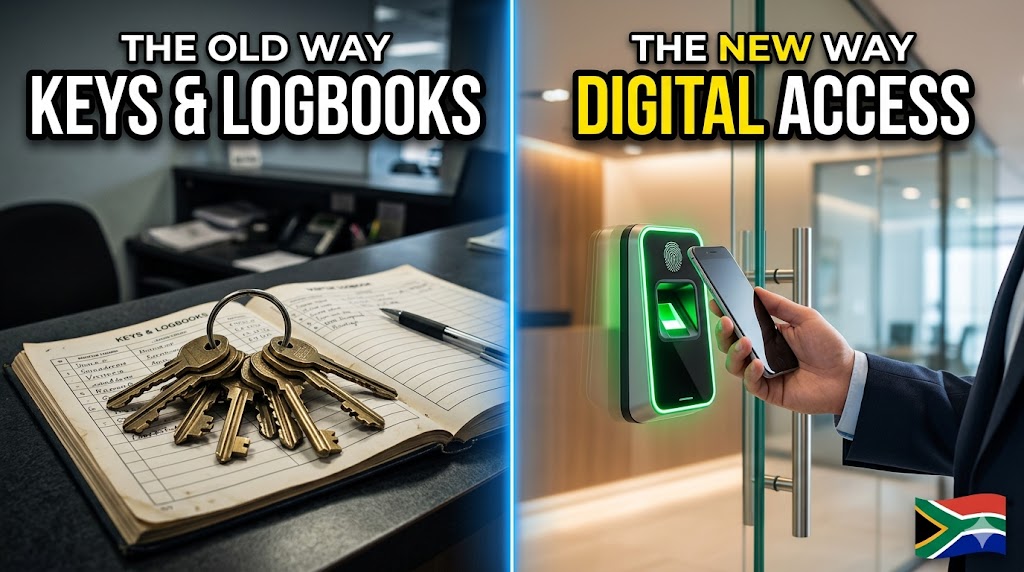
Access control is the modern, digital way to control who can enter your building, which areas they can access, and when they’re allowed in. Instead of relying on keys and a paper visitor book, you use a system that checks a person’s identity and then allows (or blocks) entry. In plain terms: it helps you stop the wrong people from getting into the wrong places—without the daily admin headache.
Why South African Businesses Are Moving Beyond Keys and Logbooks
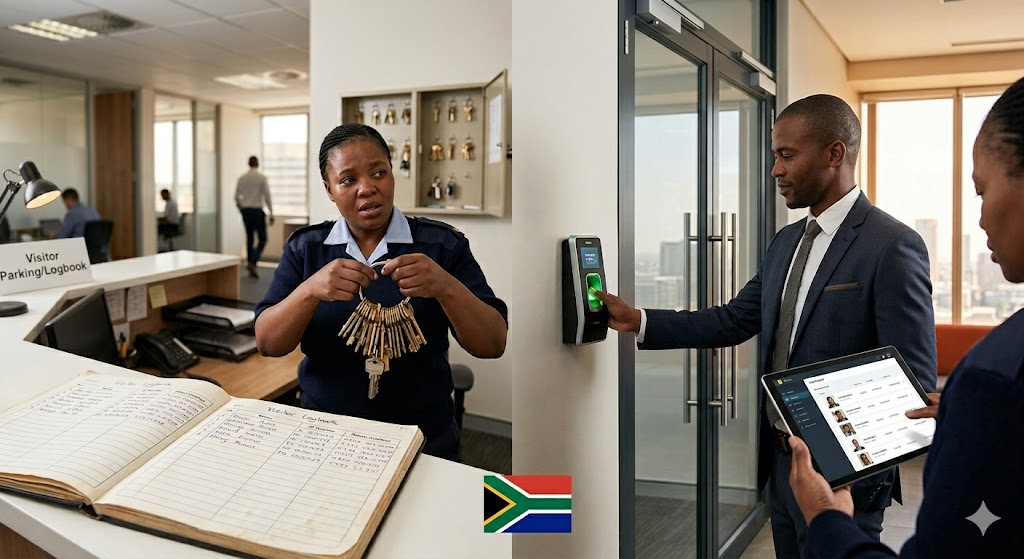
If you manage a busy site, keys can feel like a full-time job. Someone loses a key, a contractor “forgets” to return one, and suddenly you’re paying a locksmith and re-issuing copies. Worse, an ex-employee might still have a copy you don’t know about—so you’re never fully sure who can still get in.
Even when you do everything right, keys don’t scale. The more doors, tenants, shifts, and service providers you have, the more messy it gets. And every time you change a lock, you’re spending money and time—while your team is stuck waiting for access to be restored.
Then there’s the paper visitor logbook at reception. It’s easy to fake, hard to read, and it often sits open for anyone to see—names, phone numbers, ID numbers, and vehicle details. That’s a real POPIA risk, because you’re exposing personal information to other visitors and staff who don’t need to see it.
Most facility managers only get budget after something goes wrong: a stolen laptop, stock that “walks out,” or an unauthorized person found in a restricted area. After the incident, the big question becomes: “How did they get in—and how do we prove it?” That’s where access control changes the game.
How Access Control Systems Actually Work: The 4 Simple Components
- The Credential — This is what a person uses to prove who they are, like a card, fingerprint, face scan, phone, or PIN. Think of it as a “digital key” that can be issued, changed, or cancelled without changing the lock. It also lets you set rules, like “only weekdays” or “only this floor.”
- The Reader — This is the scanner mounted at the door, turnstile, or gate. It reads the credential (tap, scan, or enter a code) and sends a request to the system. If the person is allowed in at that time and place, the reader triggers the door or gate to open.
- The Locking Hardware — This is the physical part that keeps the door or entrance secure, such as magnetic locks, electric strikes, turnstiles, or boom gates. It stays locked by default and only unlocks when the system approves access. Good hardware is what makes the system reliable in real-world conditions.
- The Management Software — This is the dashboard where you control everything: who has access, which doors they can use, and what times they’re allowed in. It also stores the audit trail (a record of entries and denied attempts), so you can investigate incidents quickly. Many systems let you manage access remotely, so you’re not tied to the site.
What Type of Access Control is Right for Your Business?
| Type | How It Works | Best For | Considerations |
| RFID Card Systems | Users tap a card or tag on a reader to request entry. | Offices, multi-tenant buildings, staff + contractor access. | Cards can be shared or lost; needs good issuing controls. |
| Biometric (Fingerprint) | A fingerprint scan matches a stored template before unlocking. | Factories, warehouses, time & attendance use cases. | Hygiene and wear-and-tear can affect scans; POPIA handling matters. |
| Facial Recognition | A camera verifies a face and grants access hands-free. | High-traffic entrances, touchless environments. | Lighting and camera placement matter; privacy policies must be clear. |
| Mobile Credentials | A phone uses Bluetooth/NFC/QR to authenticate at the reader. | Modern offices, flexible teams, remote issuing. | Requires phone policies and user adoption; battery/phone loss planning. |
What Happens to Access Control During Load Shedding? (Your Biggest Question, Answered)
In South Africa, the first question is almost always: “Will it work during load shedding?” A properly designed access control setup is built with power interruptions in mind. The goal is simple: keep doors and gates operating safely, while still controlling who gets in.
Most systems use a UPS (uninterruptible power supply) or dedicated battery backup for the controller, reader, and network equipment. In many real installations, you can expect around 4–8 hours of backup time, depending on how many doors you’re powering and how often they’re used. If you need longer coverage, you can size the batteries up or connect to a generator circuit.
The next piece is how the lock behaves when power is lost. Fail-safe locks unlock when power is cut (common for emergency exit routes), while fail-secure locks stay locked when power is cut (common for high-security doors). A good installer will choose the right configuration per door, so you balance safety, security, and legal requirements.
It’s also important to plan for the “whole chain,” not just the lock. If your access control relies on a network switch, a router, or a server, those devices may also need backup power. The best approach is to test the system under simulated outage conditions and confirm exactly what stays online and for how long.
Bottom line: Modern systems are designed for South Africa’s power challenges. Load shedding should not be the reason you stay stuck with keys and paper logs. With the right backup design, access control can be more reliable than manual processes—especially when your team is under pressure.
Access Control and POPIA: What Facility Managers Need to Know
A paper visitor book is one of the easiest ways to accidentally leak personal information. Visitors can see the details of the people who signed in before them, and pages can be photographed or removed. A digital visitor management process can reduce that risk by limiting who can view data and by keeping records in a controlled system.
Under POPIA, you should collect only what you need, use it for a clear purpose, and keep it only as long as necessary. A good access control platform helps by setting retention rules (for example, auto-deleting visitor records after a defined period) and by keeping a consistent record of consent and sign-in details. This is much harder to manage with paper files stored in a drawer.
Employee privacy matters too—especially if you use biometrics. Proper systems store biometric templates (not raw images) and apply strict access permissions so only authorized admins can manage identities. You should also have clear policies: what data is collected, why it’s collected, who can access it, and how staff can raise concerns.
The practical win is that you get strong audit trails without exposing visitor information to everyone at reception. When an incident happens, you can pull a report showing who entered which area and when—without flipping through pages of handwriting. That’s better for security and better for compliance.
Beyond Security: How Access Control Solves Other Operational Headaches
- Time & Attendance Tracking — Many systems can support clock-in/clock-out reporting, which helps reduce buddy-punching and manual timesheets.
- Instant Access Revocation — When someone resigns or is terminated, you can disable their credential in seconds instead of chasing keys and changing locks.
- Audit Trails for Compliance — You get a clear record of entries, denied attempts, and admin changes, which supports investigations and compliance reporting.
- Integration with Fire Safety Systems — Doors can be configured to unlock appropriately during emergencies while still controlling access during normal operations.
- Remote Management — Approve a contractor, revoke a card, or check an incident log from anywhere—useful when you manage multiple sites.
Why Leading South African Businesses Choose Integrated Security Solutions
Access control is powerful on its own, but it becomes even stronger when it’s connected to the rest of your security picture. Many incidents are not “purely physical” or “purely digital”—they’re a mix. For example, a stolen access card might be used to enter a server room, and then a laptop is plugged into the network.
This is where a converged security approach comes in: linking physical events (door entries, denied access, after-hours movement) with cybersecurity monitoring like a SIEM (security information and event management) platform. When systems talk to each other, your team can spot patterns faster—like repeated denied access attempts followed by suspicious network activity.
AfriFranco’s approach is to help businesses connect the dots between facilities and IT. That can mean aligning access control logs with camera footage, or feeding key door events into a monitoring workflow so the right people are alerted. The goal isn’t complexity—it’s clarity, so you can respond quickly and reduce blind spots.
In practical terms, integration helps answer questions like: “Was this credential used in two places at once?” or “Did someone enter a restricted area right before a system alert?” When you can correlate physical and digital signals, you reduce the chance that a small breach turns into a major incident.
Your Next Steps: From Confusion to Clarity
- Audit your current vulnerabilities (keys, visitor sign-in, after-hours access, shared doors).
- Count how many access points you need to secure (doors, turnstiles, boom gates, server rooms, stores).
- Plan for growth (new tenants, more staff, additional buildings, higher-risk areas).
- Define your budget range and what “must work” during load shedding (backup hours, generator integration).
- Talk to a specialist who understands South African realities (POPIA, power, site conditions, and support).
| Free Resource: The Facility Manager’s Buyer’s Guide to Access Control Get a practical, plain-English guide to choosing the right system for your site. It covers system selection, load shedding planning, and POPIA-friendly visitor management—so you can compare options with confidence. Download Your Free Guide Or speak with our team: [Contact AfriFranco] |
Frequently Asked Questions About Access Control
How much does an access control system cost in South Africa?
Costs vary based on the number of doors, the type of credentials, and whether you need turnstiles or boom gates. A small office setup can be far less than a multi-building site with high-security requirements. The best way to budget is to price per access point and include backup power and support.
Can I start small and expand later?
Yes—many modern systems are modular, so you can secure your highest-risk doors first and add more doors over time. Ask for a design that supports growth without forcing a full replacement later. Planning the controller capacity and software licensing upfront helps.
What happens if the system fails?
Good systems are designed with safe fallback options, like emergency egress, mechanical overrides where appropriate, and clear procedures for security staff. You can also set up alerts so you know immediately if a door controller goes offline. The right maintenance plan reduces downtime and keeps logs consistent.
How long does installation take?
It depends on the number of doors and how much cabling and hardware work is needed. A single-door installation can be quick, while a multi-floor rollout may take days or weeks in phases. Most businesses install in a way that keeps operations running, with after-hours work where needed.
Do I need internet connectivity?
Not always. Many systems can run locally on-site and keep working even if the internet is down. Internet is useful for remote management, cloud features, and off-site backups, but your doors should not stop working just because a link drops.
Can it work with my existing security cameras?
Often, yes. Access events can be linked to camera footage so you can quickly review who entered at a specific time. Compatibility depends on your camera system and the access control platform, so it’s worth checking integration options during planning.
You don’t need to be a security engineer to make smart decisions about access control. With the basics in place—how it works, what types exist, and how to plan for load shedding and POPIA—you can have confident conversations with vendors and ask the right questions. Moving from keys to access control is a natural next step for growing South African businesses, and it’s one of the fastest ways to reduce risk while making daily operations easier.